
Patterns & seamless textures
Make something that carries on.
Build seamless artwork patterns, paint repeating textures and make scrolling strips.
Jago Repeat · v1.12.0 · Included in JAGO Suite 2.8.0
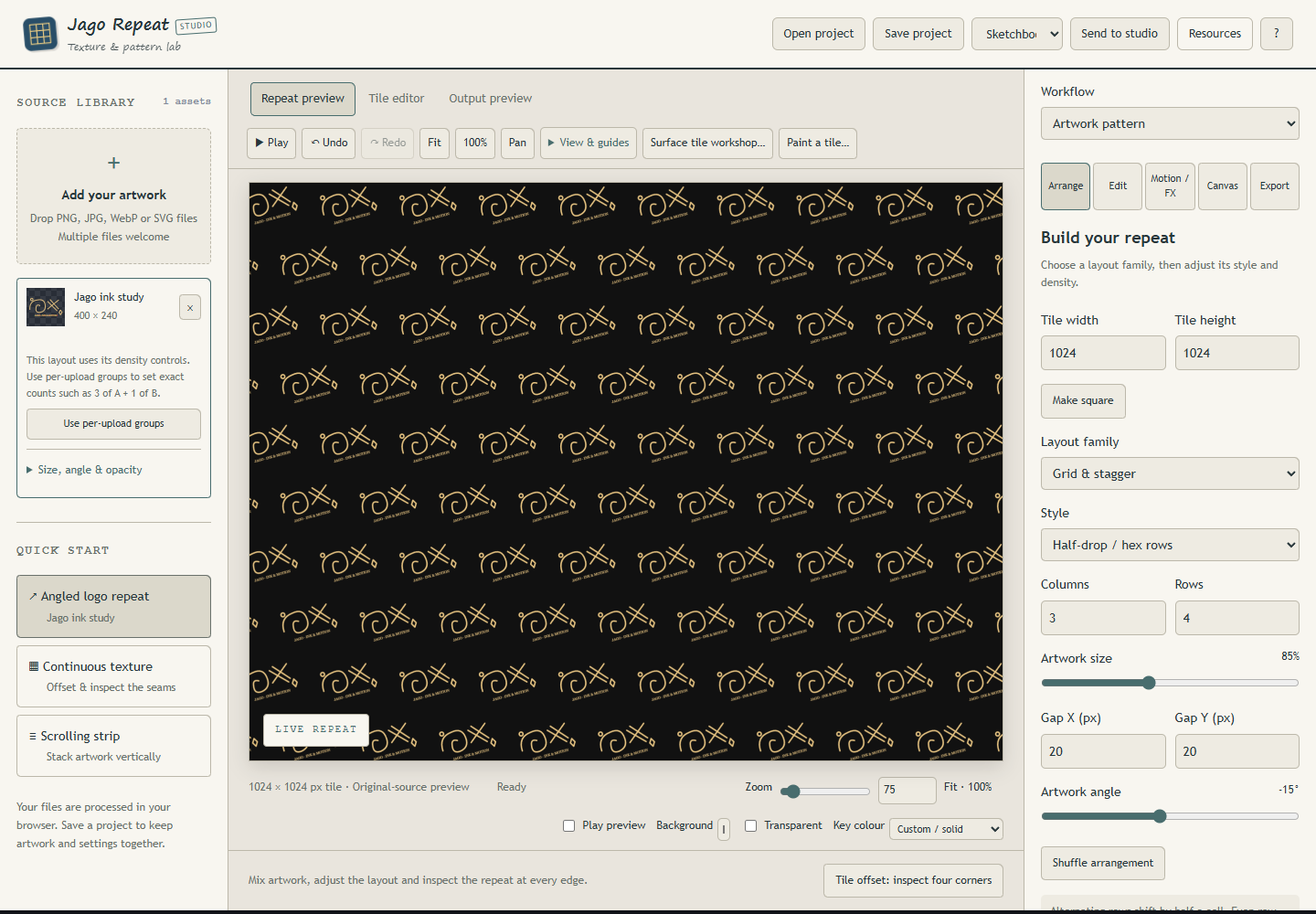
A look inside the studio
A little motif can become a whole world of pattern. Jago Repeat helps you arrange artwork into repeats, work on texture seams and make strips that keep on scrolling.
Start with your own drawings, photographs or vector artwork. Explore a layout, inspect it across neighbouring tiles, then move individual pieces until the rhythm feels right.
Three ways to repeat
Artwork pattern arranges motifs; Continuous texture works with a repeating surface; Scrolling strip builds a moving feed of artwork and text.
Explore a few directions
Preview six seeded variations using your own sources.
Work across the seam
Inspect a 3 × 3 repeat, offset the tile and compare opposite edges.
See what it can do
The tools, in their element.
A few favourite possibilities, with real studio artwork and working interface views. Open the detailed sections below to explore the individual controls.
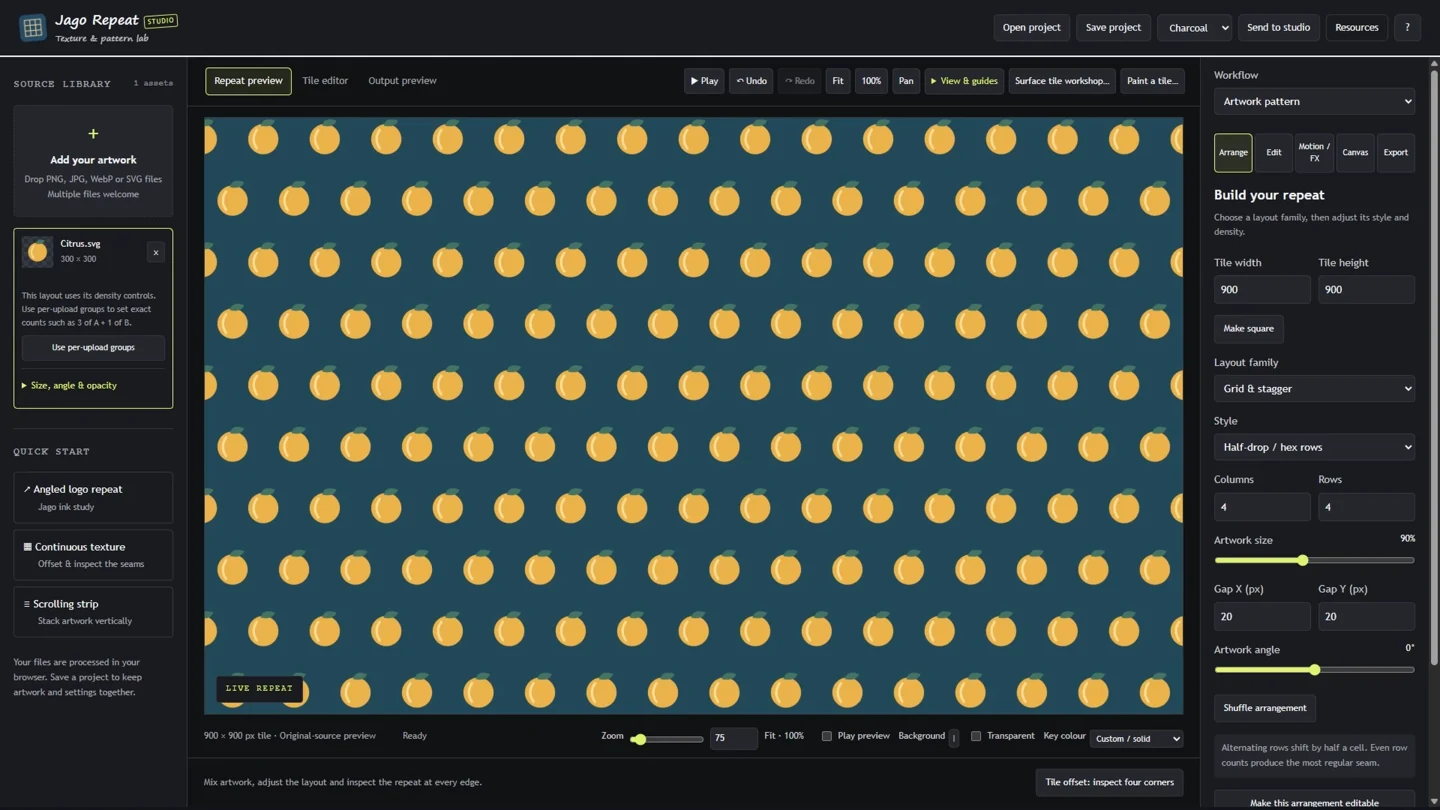
01 / A LITTLE CLOSER
One motif. A whole surface.
Turn an illustration into a repeat with grids, staggered rows, mirrored partners or seeded scatter. Tweak an arrangement, then make individual occurrences your own.
- Mix artwork with controls for size, spacing and rotation.
- Freeze an arrangement to edit individual copies.
- Keep linked partners or source groups together.
02 / A LITTLE CLOSER
Look closely at the joins.
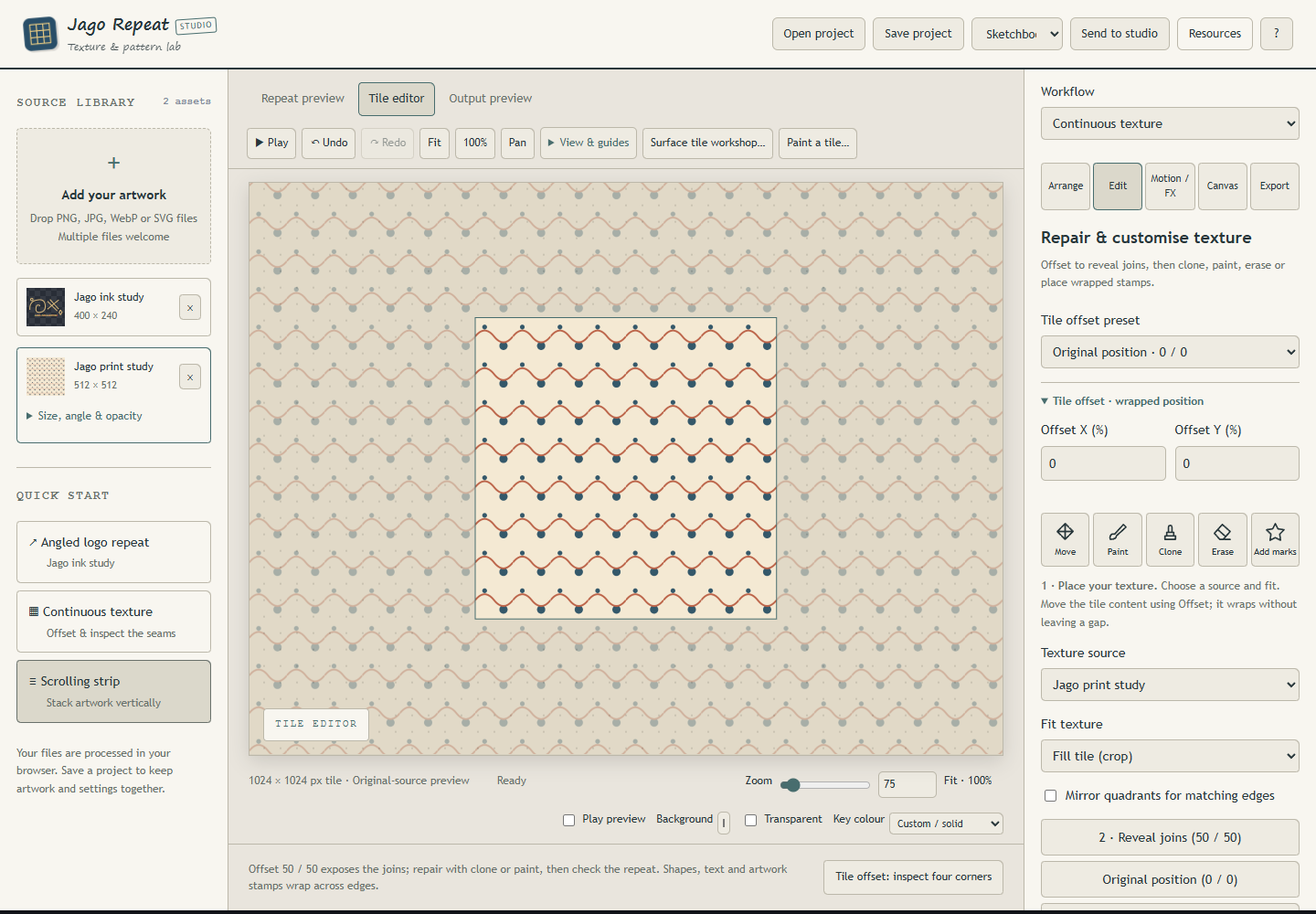
A convincing continuous texture starts at its edges. Bring the joins into view, inspect the proof, and work across the seam rather than around it.
- Inspect a 3 × 3 proof and opposite-edge differences.
- Paint, clone and erase across repeating edges.
- Retain the original while repairing a raster copy.

Open the animation

03 / A LITTLE CLOSER
Make artwork that carries on.
A scrolling strip is another way to build something continuous. Arrange the source artwork, explore compatible movement, and choose the framing for your destination.
- Choose patterns, continuous textures or scrolling strips.
- Explore compatible movement and distortion.
- Export a tile or a framed, filled canvas.
Explore the studio
The details that make it yours.
Three ways to repeat
- Artwork pattern arranges motifs; Continuous texture works with a repeating surface; Scrolling strip builds a moving feed of artwork and text.
- Layouts include grids, brick and half-drop arrangements, staggered and diagonal directions, scatter, mirrors and free composition.
- Adjust tile dimensions, gaps, sizes, rotation and controlled variation.
- Choose linked or mirrored sets, mix sources and use overlap protection when helpful.
- Freeze a generated arrangement to move, resize and rotate individual occurrences.
Explore a few directions
- Preview six seeded variations using your own sources.
- Lock layout, density, sizes, angles, position variation or mixing while exploring other choices.
- Independent seeds let different aspects change separately.
- Save a .repeatrecipe to reuse generated layout settings with different artwork.
- Opening an editable pattern study or applying a variation supports Undo.
Work across the seam
- Inspect a 3 × 3 repeat, offset the tile and compare opposite edges.
- Paint, erase or clone directly on a raster texture with strokes wrapping across the boundaries.
- Choose a repair band and export a repaired copy while keeping the original.
- Export a repeat proof and tile kit for checking the result outside the studio.
From pattern to surface
- Send a tile to Material as a repeating surface or a fill inside selected artwork.
- Send it to World as a repeating map texture, with adjustable scale, rotation and offset in the map builder.
- Export one tile, fill a larger canvas, or use the loop exporters for moving artwork.
Save the project. Share the result.
- Editable .jagorepeat projects
- Reusable .repeatrecipe layout settings
- PNG, JPEG and WebP artwork
- SVG with vector artwork preserved where applicable
- GIF, video and PNG-sequence loop exports
- Tile kits containing a tile, repeat proof, manifest and optional recipe/project
Useful for
Stationery and wrapping patterns · Fabric and wallpaper concepts · Game and map textures · Patterned backgrounds · Scrolling credits and feeds · Surface preparation for Material
A few useful things to know.
- Seam repair blends edge strips and can soften detail. Inspect the proof.
- A recipe stores generated layout settings, not artwork or manual placements; save a project for the exact composition.
- Raster sources stay raster inside SVG. Enlarging a photograph does not invent detail.
- Still tile kits capture phase zero; use loop exporters for motion.
Getting started
- Download Jago-Repeat-v1.12.0.zip, right-click it and choose Extract All.
- Open Jago-Repeat.exe for the Windows app, or Jago-Repeat.html in a modern browser for the offline browser edition. No installer needed!
- The Windows app requires 64-bit Windows and Microsoft Edge WebView2 Runtime. If it won’t open, try the HTML version instead.
- Keep supporting folders beside the application. Open the extracted files rather than running from inside the ZIP.
- To use this release in Workscape, open Home → Manage studios → Choose release and select its executable. Existing tabs keep their running version until closed.
Current Windows binaries are unsigned. Check where your download came from and follow your device’s security guidance.
Get Jago Repeat
Windows: 64-bit Windows with Microsoft Edge WebView2 Runtime. Offline browser edition included; native integrations vary by edition.
Release v1.12.0 · Jago-Repeat-v1.12.0.zip