
Optional Windows companion · v0.5.2
One desk. Your way of working.
An optional tabbed home for Jago studios, with working pairs, detachable tabs and editable workspace saves.
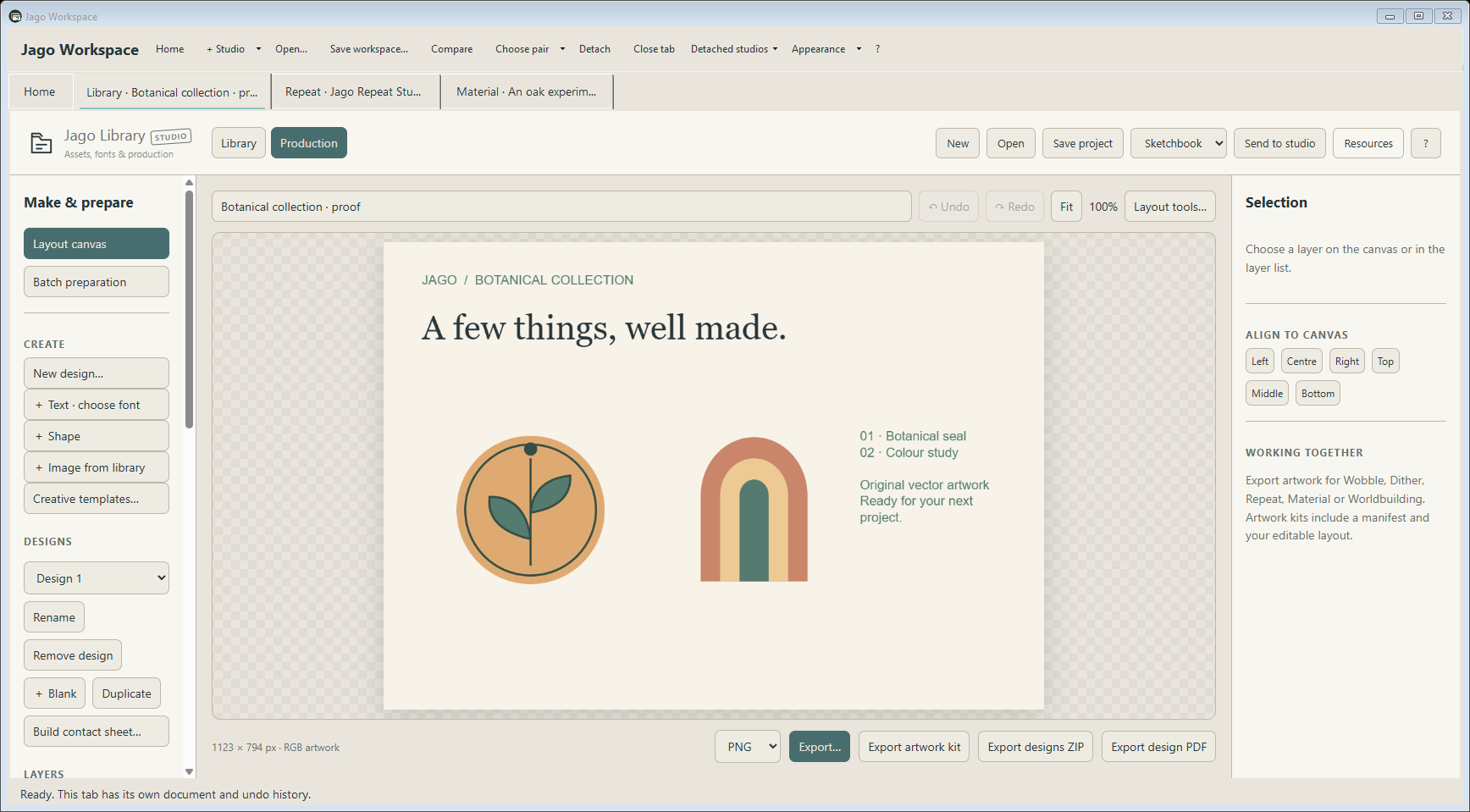
An idea rarely stays in one tool. Jago Workscape gives your Jago studios a shared desk, so you can draw in one tab, find a texture in another and keep a working pair beside each other.
Use it when a connected Workscape helps. Every studio still opens on its own, and tabs can detach into separate windows when you want more room.
Choose your desk
Open a studio from Home, add more tabs and reorder them by dragging.
Work side by side
Compare creates a working pair of open studios; clicking again returns to one view.
Keep the Workscape
Save editable studio documents and the working arrangement in a .jagoworkspace file.
See what it can do
The tools, in their element.
A few favourite possibilities, with real studio artwork and working interface views. Open the detailed sections below to explore the individual controls.

01 / A LITTLE CLOSER
Your studios, together.
Keep the tools you need in tabs while each studio retains its own document and undo history. Open a studio on its own or bring it into the Workscape.
- Open studios when you need them.
- Reorder tabs by dragging and keep their documents separate.
- Keep individual studio appearances or match the Workscape.
02 / A LITTLE CLOSER
Two views of the same idea.
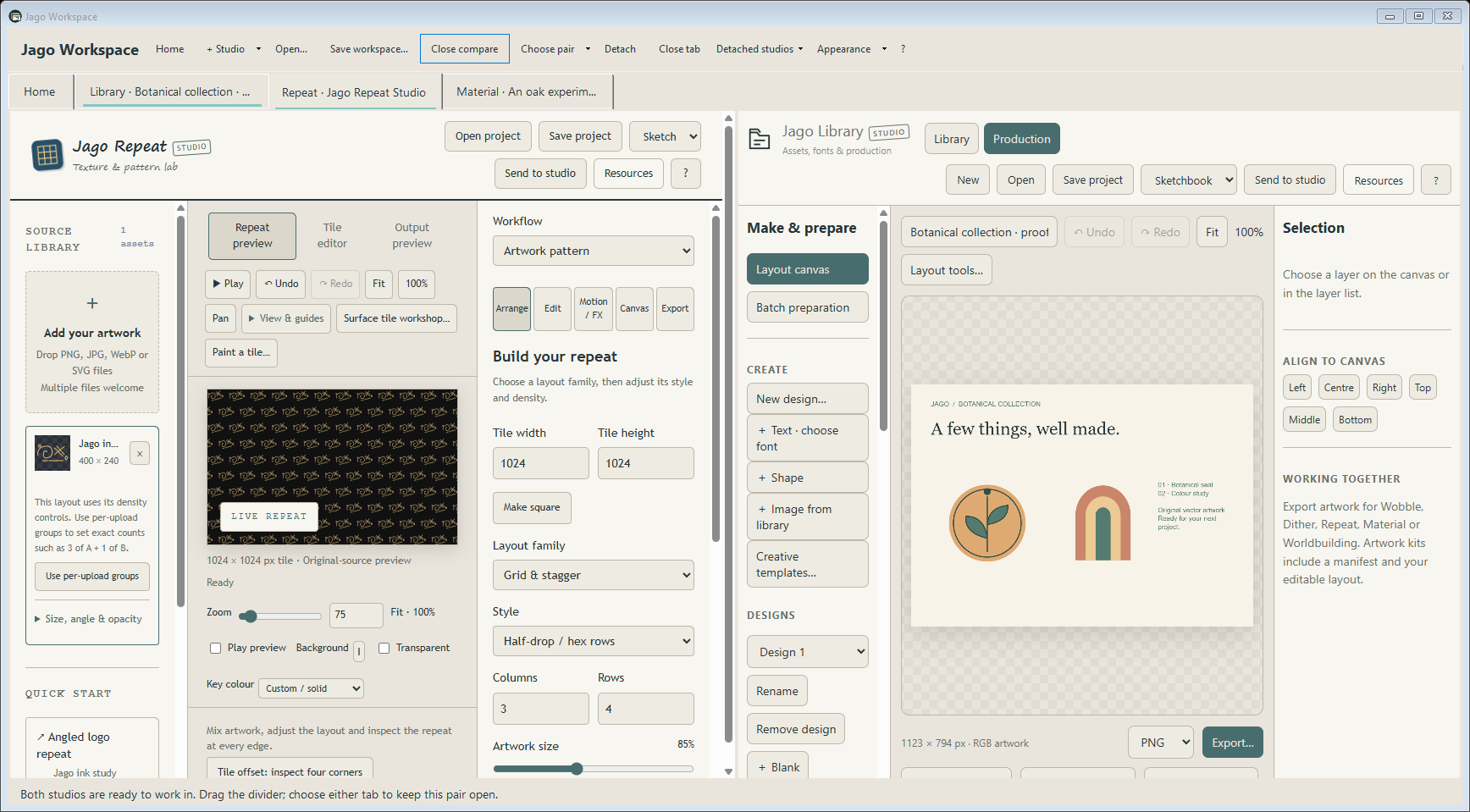
A working pair gives an idea room to move between studios. Choose the pair, swap its sides or stack the views to suit the way you work.
- Choose any pair of open studios.
- Send rendered artwork with an attached editable original.
- Detach a tab into its own window and bring it back.

03 / A LITTLE CLOSER
Pick up where you left off.
Save the Workscape with its editable documents and working-pair arrangement. Your studios remain separate tools, with one useful place to return to them.
- Keep saved projects alongside local recovery.
- Hidden tabs pause playback and suspend where supported.
- Keep original files available for Library folder references.
Explore the studio
The details that make it yours.
Choose your desk
- Open a studio from Home, add more tabs and reorder them by dragging.
- Each tab keeps its own document and undo history.
- Right-click a tab to move, duplicate, detach or close it.
- Bring detached studios back individually or all together while they remain open.
- Studios load when selected; hidden tabs pause/suspend where supported.
Work side by side
- Compare creates a working pair of open studios; clicking again returns to one view.
- Pick the pair, swap sides or stack the views.
- Moving between the paired tabs keeps both visible; visiting another tab pauses the pair until you return.
- Send to studio can target existing tabs, new tabs or separate windows.
- From standalone, Open both projects in Workscape brings a copy of the source alongside the destination.
Keep the Workscape
- Save editable studio documents and the working arrangement in a .jagoworkspace file.
- Use Home recovery when needed, while keeping regular project backups.
- Choose studio releases through Manage studios & versions; see the version and exact path used for new tabs.
- Use bundled copy restores the bundle choice. Existing tabs retain their running versions.
- Choose seven appearances and optionally match studios to Workscape; World maps matching choices to its specialist appearance.
Save the project. Share the result.
- Editable .jagoworkspace files
- Ordinary project saves and exports remain available inside each studio
Useful for
Multi-studio projects · Pattern/material/map workflows · Drawing beside print treatment · Finding assets beside a design · Music beside visual work · Keeping several editable documents together
A few useful things to know.
- Workscape is Windows-only and requires the studios; its standalone ZIP does not contain all seven applications.
- It does not automatically scan drives for the newest release. Chosen paths determine new tabs.
- External Library references still need their original files.
- Live detached tabs can be brought back while they remain open; saving a Workscape is the portable checkpoint.
Getting started
- Download Jago-Workscape-v0.5.2.zip, right-click it and choose Extract All.
- Open Jago-Workspace.exe. No installer needed.
- The full suite is the easiest way to get Workscape and all seven studios together. This standalone download contains the companion only.
- Use Home → Manage studios & versions → Choose release to select separately downloaded Jago studio executables. Keep their supporting files beside them.
- Requires 64-bit Windows and Microsoft Edge WebView2 Runtime. Workscape has no standalone browser edition.
Current Windows binaries are unsigned. Check where your download came from and follow your device’s security guidance.
Get Jago Workscape
Windows: 64-bit Windows with Microsoft Edge WebView2 Runtime.
Release v0.5.2 · Jago-Workscape-v0.5.2.zip